Our guides focus on home fit, everyday use, upkeep, and value. Retailer links in this story are ordinary links; no commission is earned from them. Read our affiliate disclosure.
In this story
The household it is worth investigating for
The X10 Pro Omni is worth a closer look when compatible hard-floor rooms need frequent maintenance and you want help caring for mop pads. Think of an open kitchen and living area that gathers daily crumbs, with a few rugs interrupting the route. The appeal is a repeatable routine, not a claim that every spill and stain can be left to automation.
It is less compelling if most of the work is on stairs, upholstery, or delicate surfaces excluded by the instructions. A small apartment with little floor area may also get less benefit from a substantial dock. The first decision is whether this category fits before you compare the model’s individual features.
What the published feature set tells you
eufy lists dual rotating mop pads, laser navigation, camera-assisted obstacle recognition, and a station that handles debris and mop-care tasks. It also publishes mop-lifting capability. Those are product specifications; they are not independent measurements of cleaning performance in your room.
Use them to form questions. Can the navigation reach between your chairs? Is the rug within the permitted conditions for the mop behavior? Will the dock location leave enough space for approach and maintenance? Read the current manual for the exact regional model rather than relying only on the product summary.
The station belongs in your floor plan
Mark out the dock’s dimensions and required clearance. Make sure lids and tanks can move freely and that the power connection is suitable. A dock hidden tightly under a console may look tidy while making every refill awkward.
Walk from the planned location to your sink with the idea of a water tank in mind. Include dirty-water disposal and tray cleaning in the routine. Automated mop washing changes your work; it does not mean the dock never needs attention.
Rugs and small objects still need judgment
Confirm your floor and rug care instructions before enabling mopping. Use supported no-mop or no-go settings when needed, and observe the first runs. A raised mop is not a guarantee for arbitrary pile heights or loose textile edges.
Camera-assisted recognition can be helpful, but it is not a reason to leave pet accidents or unsuitable objects on the floor. Pick up loose cords and observe how the machine handles the household’s usual clutter. Review the camera-related and account settings as part of setup.
Buy the correct bundle and keep the costs visible
Compare the model number, included consumables, seller, and return terms. Bags, filters, pads, brushes, and approved solution can affect ownership cost. Some listings combine accessories or memberships; assess the ordinary purchase separately from optional add-ons.
Shortlist the X10 if its combination of features fits your rooms and its upkeep feels manageable. Skip it if the dock is the compromise you would dislike every week. A more basic robot plus manual mopping can still be a sensible system for the right home.
The considered choice
Investigate X10 Pro Omni for frequent compatible floor maintenance and useful dock automation. Confirm the rug plan, station location, and cleaning supplies first.
A model to compare
Use this published-specification example alongside the guide. We have not hands-on tested this product.
eufy X10 Pro Omni
Households considering automated vacuuming and mopping.
- Robot vacuum and mop with an Omni station
Before buying: The station still needs water, tray, and consumable maintenance.
Check current specifications & price ↗Manufacturer website · ordinary link · checked 2026-10-03Put the guide to work
Take your measurements and must-have list with you. These retailers are useful places to compare options; check the exact listing, current price, delivery terms, and return policy before buying.
eufy
Home technology including robot vacuums, cameras, and smart devices.
Explore eufy ↗Opens the retailer’s websiteA few common questions
Does the dock remove all maintenance?
No. Water containers, trays, brushes, filters, and other components still need the care described in the manual.
Are the photographs of the exact model?
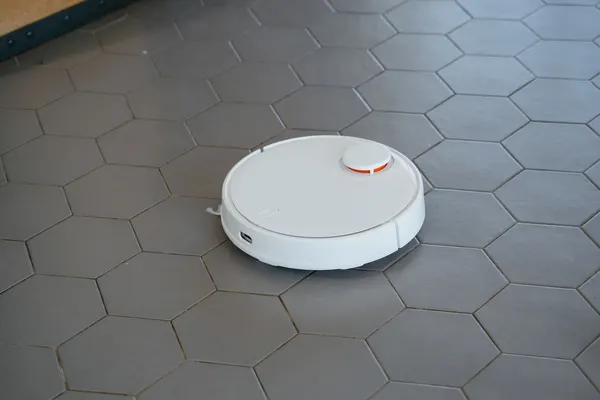
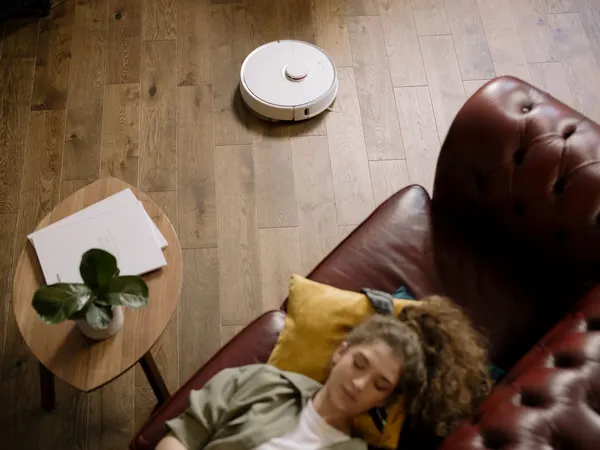
No. WanjiLab uses licensed illustrative scene photography; the official product link shows the exact hardware.
Sources & further reading
- eufy X10 Pro Omni: product specifications — checked 2026-10-03
This is a research-based buying guide. We do not claim hands-on testing of the products linked here. Product details and availability can change. How we work · Suggest a correction